November 28th, 2025
We have implemented a direct integration with 1Voucher. Now, your customers can conveniently make payments using 1Voucher.

We have added support for Grandstream routers. Grandstream GWN700x devices were utilized during development.
You asked us to improve the guest login method and secure it with a PIN code. Now you can set up PIN code protection for the guest login, and customers connecting will need to provide the PIN you set.

A new feature lets you shorten the user journey by setting a default data plan for customers connecting to a location. Once connected, they won’t see a select data plan page, but a default one will be assigned.
Now that you can assign labels to customers, and following your requests, we’ve improved our session export to include filtering by customer labels. You can now export sessions for customers with a specific label.
October 6th, 2025
A new update is here! Here’s a list of the major features we’ve delivered:
A payment gateway available in Nigeria, Ghana, Kenya, South Africa, and Côte d’Ivoire (Ivory Coast).
Enable the Guest Login option so your customers can log in without a phone number.


Enable sound for video ads. Note that autoplay isn’t available for videos with ads, customers need to click the play button to start the ad (technical limitation of captive portals).
We finally deliver an API that you can use to receive information about customers, data plans, and vouchers from Powerlynx. Currently, it only supports receiving data from Powerlynx, but later, we will also add API calls to update and delete customers and vouchers in Powerlynx.
August 13th, 2025
A new update is here! Here’s a list of the major features we’ve delivered:
Create labels (Config/System/Labels), assign them to data plans, and display the labels on the selected plan page.

We enhanced the Config section by organizing the various settings into logical groups:


Now, when you select a specific location on the “Online customers“ graph, it updates the “Online now“ counter and shows the number of online customers at that specific location. It used to show the total number of online customers across all locations.
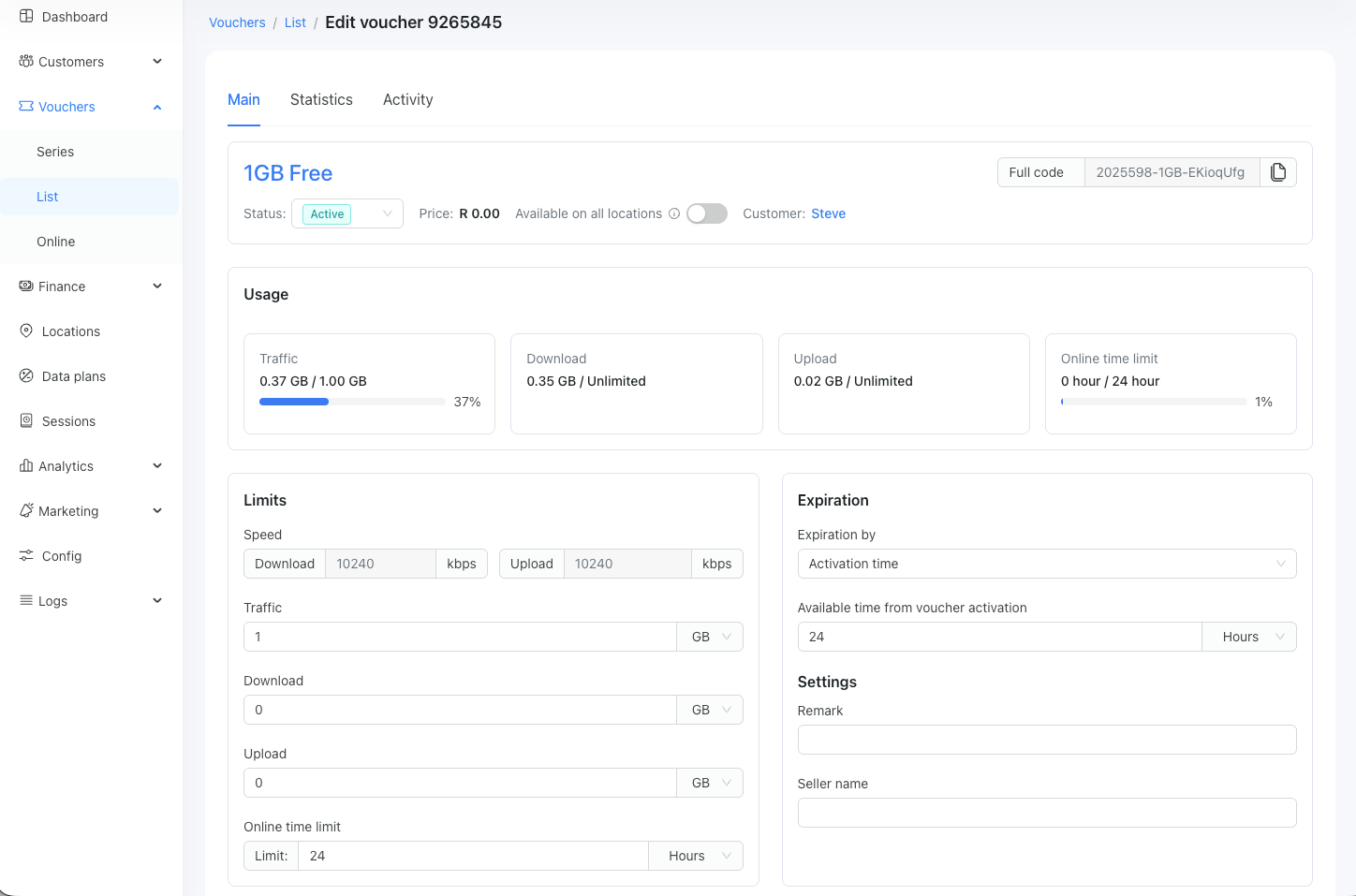
On the portal page, where you can view and manage your vouchers, we added the “Activated at” field that shows the time when the voucher was activated.

July 11th, 2025
A new update is here! Here’s a list of the major features we’ve delivered:
To enhance security, you can enable SMS-based two-factor authentication (2FA) for the status page.
New payment gateway for Benin, Congo, Cameroon, Ghana Guinea Guenia-Bissau, Liberia, Nigeria, Rwanda, Eswatini, Uganda, South Africa, Zambia, South Sudan.
Customize the style of the page where customers select their data plan.

Customize the PDF export file for vouchers by adding your logo, adjusting the displayed voucher parameters, and setting your preferred margins.
This tool is designed to create vouchers for multiple customers in bulk.
This update also includes bug fixes and UI/UX enhancements.
May 29th, 2025
We haven't posted our changelogs in a while, but rest assured - the work continues. This time, we've introduced several significant features to Powerlynx. Vote for new features and share your ideas here.
You can now personalize the final page of the user journey. Alter the theme, colors, and background, and incorporate various videos, images, buttons, and text on your splash page.

The Target Groups feature in Powerlynx allows you to segment and organize your customers based on specific criteria. This is particularly useful for personalized marketing, such as running targeted ads, sending SMS campaigns, or analyzing audience demographics.
For example, you can create a group that includes all male users aged 25 and above. Once created, this group will automatically include all users in your system who match those criteria.
The Mass SMS Sending feature in Powerlynx enables you to send targeted text messages to groups of users in just a few clicks. By combining this with the Target Groups feature, you can ensure your message reaches exactly the right audience based on demographics, behavior, or any custom data you’ve collected.
Some devices, such as Smart TVs or IP cameras, cannot open a captive portal page because they simply don’t support it - but they still need internet access. To handle this, we’ve introduced a feature that allows your clients to add the MAC addresses of such devices during the sign-up process. Additionally, administrators can manually add a MAC address to the corresponding voucher.
We’ve enhanced the payment processing logic for transactions made through the Netcash payment gateway. Powerlynx now checks the payment status every 30 seconds for up to 10 minutes after the user is redirected to Netcash.
Previously, if a customer completed their payment in a separate banking app (after being redirected from the captive portal), Powerlynx could lose track of the transaction. With this improvement, even if the customer leaves the user journey but completes the payment, Powerlynx will detect it and create the corresponding voucher. The customer will simply need to reconnect to your network to be authorized.
Just like with the previous update in Netcash for the DPO payment gateway, we check the payment status even if the customer has left the user journey. If we find that the payment exists in DPO, we create it in Powerlynx along with the corresponding voucher.
March 14th, 2025
We recently launched a significant feature that enables you to create custom fields and display them on a splash page. This enhancement allows you to collect specific information from your customers beyond the default fields like name, email, and phone number.
With this functionality, you can customize the customer onboarding process to meet your business needs, ensuring you gather all necessary details before granting access.

February 27th, 2025
We are excited to introduce our latest product update, which includes new features:
We are introducing a new connection type: OpenVPN. OpenVPN allows you to connect your hotspots with Powerlynx as an alternative to Wireguard. This option is only available for advanced setup. Please refer to the documentation for more information.
You can now create an administrator account in Powerlynx with read-only permissions.

The “Vouchers Export” report now includes networking data that identifies the activation hotspot, along with the MAC address, IP address, port, and NAS identifier received from the hotspot during voucher activation. This information will help you understand which hotspot the voucher was activated on, as well as its IP address and other networking parameters.
In the payment gateway settings, you can modify the display name that appears on the splash page. For example, you can change the “Pay by Stripe“ button to “Pay by credit card“:

February 3rd, 2025
We are excited to introduce our latest product update, featuring a significant and exciting new feature:
We are happy to announce the release of a highly requested feature that enables you to customize the UI for splash pages. Explore various options for colors, opacity, backgrounds, and more. Check out the examples here!
Submit your feedback here so we can identify what needs to be modified, added, or improved.
You can now invite other companies to join Powerlynx and earn a bonus! When you invite a new client to Powerlynx and remain active for the next 60 days (Your referee must be active in Powerlynx billing within 60 days to qualify for a bonus), you'll receive a $100 USD bonus credited to your account. Additionally, the person you invited will also receive a $100 bonus.
If you are a Powerlynx client, open your billing portal. On the dashboard, you will see the “Copy invite link” button. Copy the link and share it with someone.

January 7th, 2025
Here are the key features of our latest product update:
A new report lets you see which customers were activated at a specific location during a chosen timeframe.
Example: You might export all customers (and their details) who purchased a voucher at Location #1, the Restaurant. This information can then be used to create personalized email campaigns targeting those customers.
We have added a new filter for ads to display them per plan. For instance, it allows showing ads only for free plans in location 1:

You asked - we delivered. We’ve included network data in the payment export, such as the MAC address, IP address, port, and NAS identifier of the first session on a newly purchased voucher. This helps identify which location and network devices the voucher was purchased on, enabling you to filter your income per router.
November 22nd, 2024
Here are the key features of our latest product update:
We have developed a direct integration with the SMS gateway, SMSPortal. You can now connect your SMSPortal account to Powerlynx and send SMS messages. Documentation is available here.
We removed the ability to delete data plans and instead disable them. Deleting data plans could lead to authorization issues when the voucher is active but the data plan has been deleted.

We have replaced the “Delete Plan” button with a “Disable Plan” button. Additionally, we have introduced a filter for plans based on their status: Active and Disabled. Disabled plans will not be available for use on a splash page, and you will be unable to generate a voucher series using these data plans.
In the plan filters throughout the system, you will still be able to view disabled plans; however, they will be indicated as disabled at the bottom of the list.

We have implemented SSID validation to ensure that each value is unique. When you add a new SSID for a location, the system will display a warning if the SSID is already in use elsewhere. This improvement will enhance the system’s ability to detect locations more accurately and minimize the risk of human error.