2026-04-15
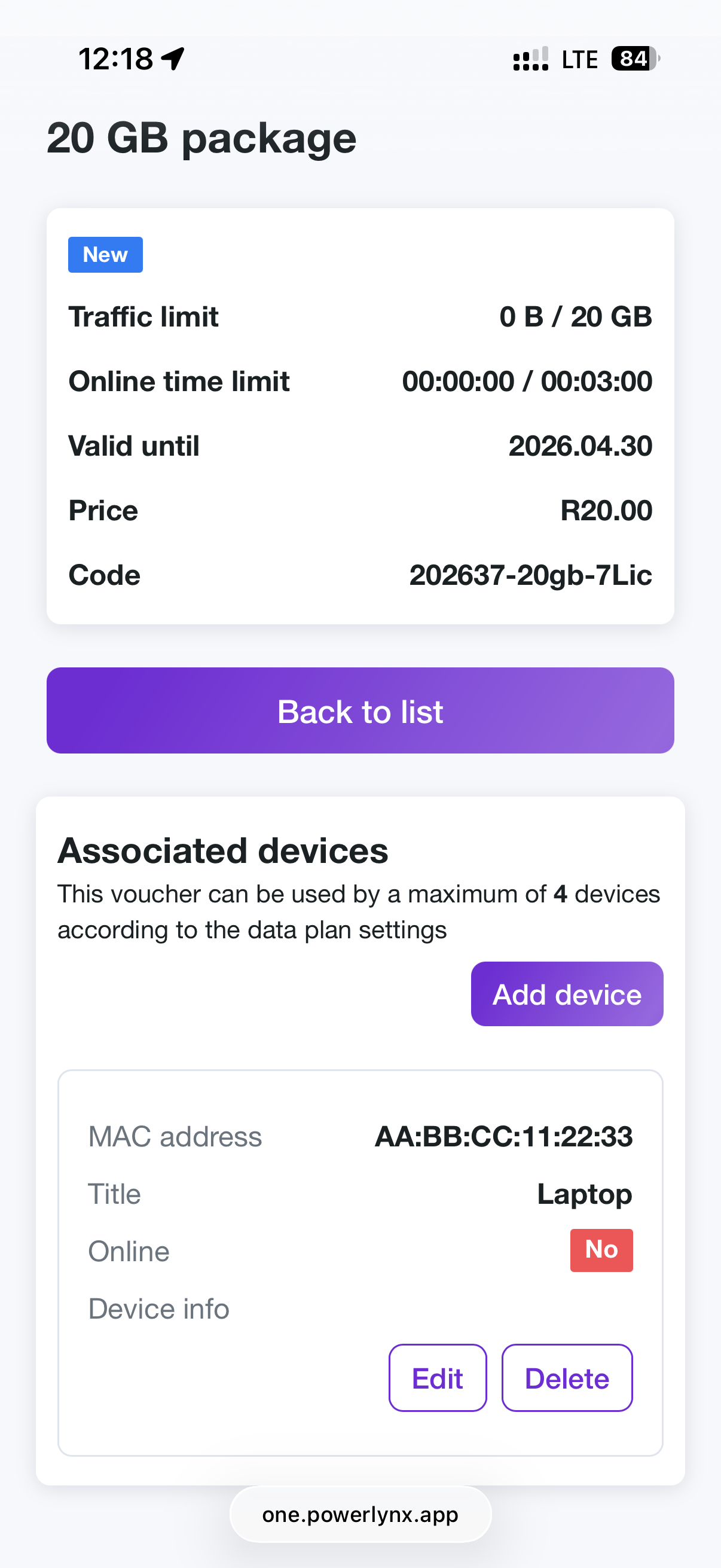
Customer Portal: Self-Service Voucher & Device Management
Now your customers can manage their vouchers and devices from the portal
Create a single voucher
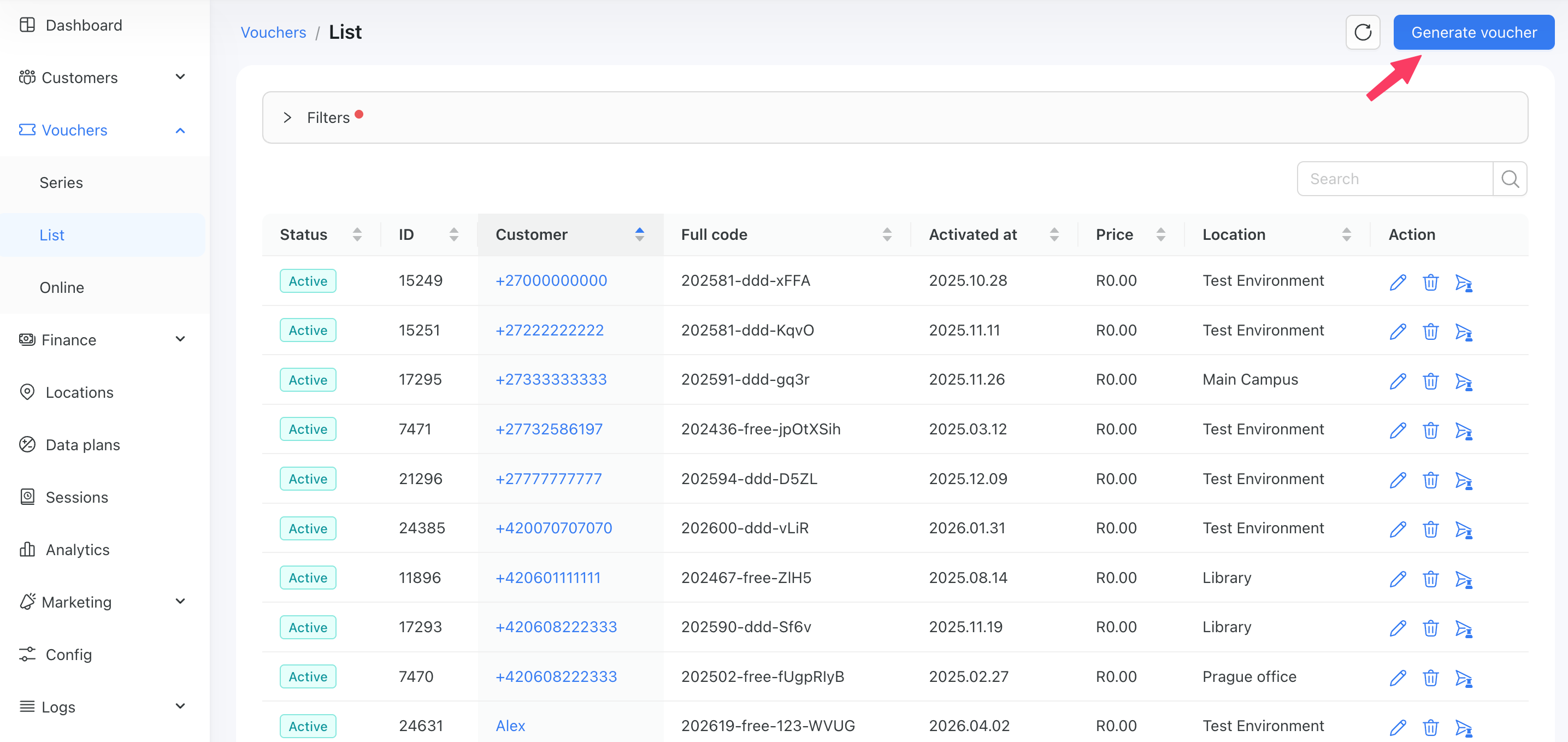
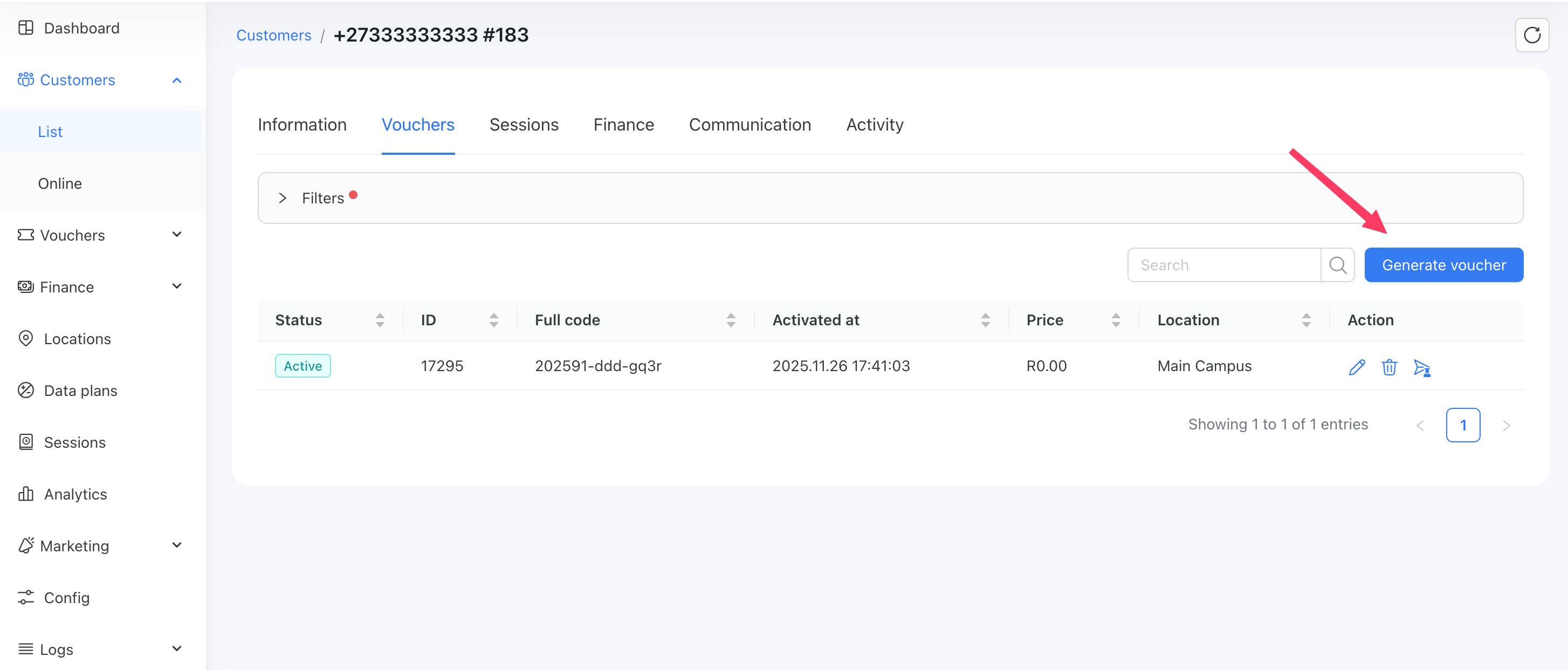
We added an option to generate a single voucher rather than a series.
You can do it from: Vouchers → List → Generate voucher
and from the list of customers’ vouchers:
Improvements to Password Security
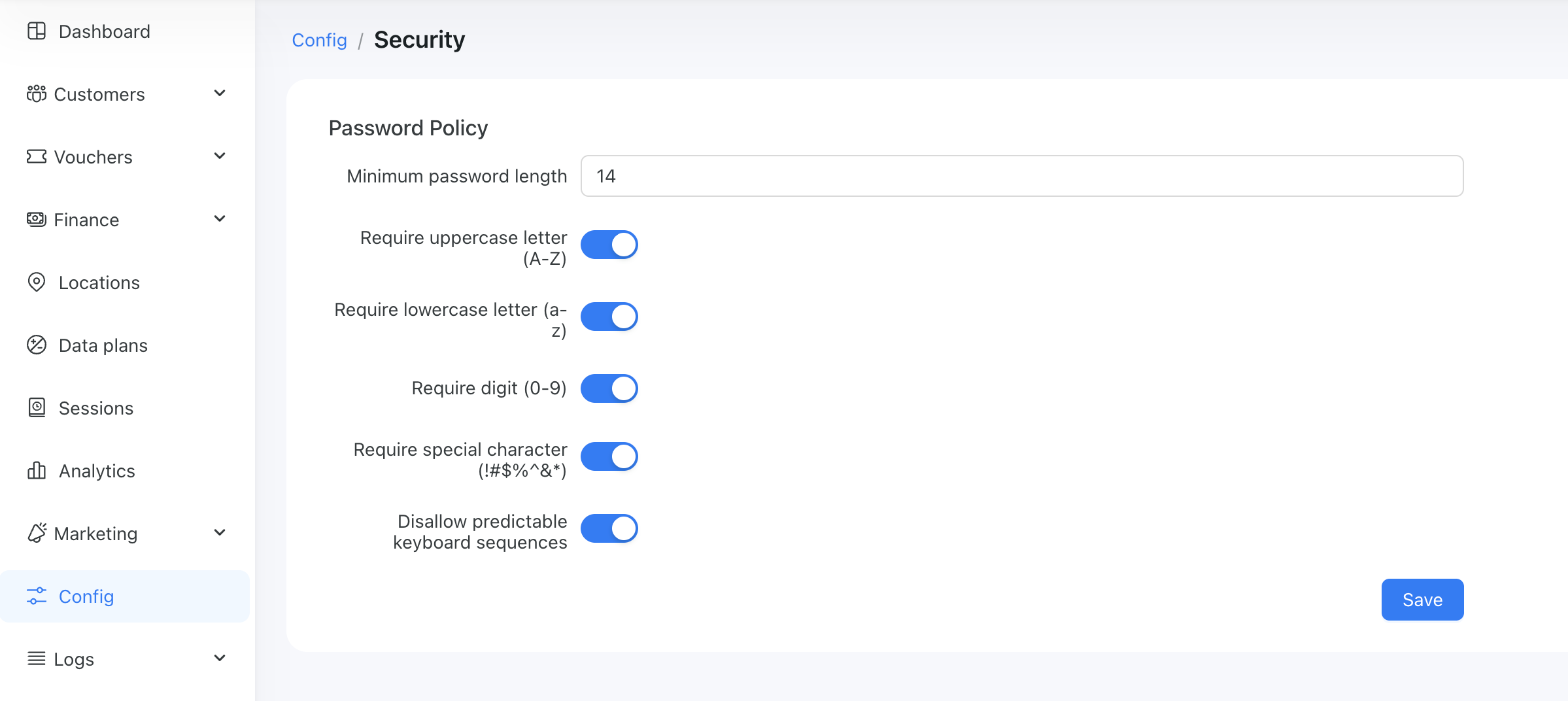
We have introduced a new configuration section under Config → Security, where you can set the admin’s password policy:
Configurable MAC Address Replacement for Vouchers
A new setting has been added under Config → Captive Portal → Vouchers: Allow MAC address replacement on device limit reached.
When enabled (default), if a voucher's simultaneous device limit is reached and a new device connects, the oldest or offline MAC address is automatically replaced with the new one. When disabled, a new voucher is required for each new device - no MAC substitution is performed.
Cost tracking and Budget control for ads
We've added a new Cost tracking and Budget control section under Marketing → Campaigns:
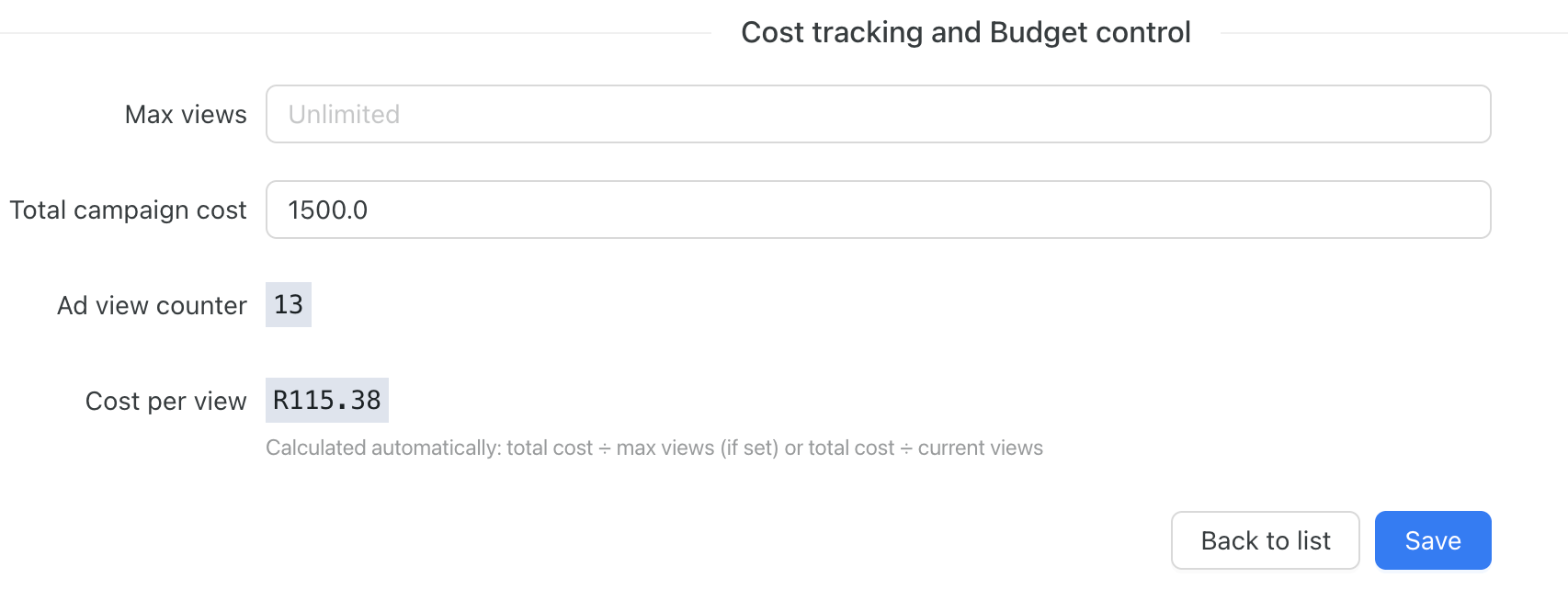
Here you can set the max views for this ad and set and monitor the budget.
When “Max views” is set, the system disables the ad once the limit is reached.
When you specify the Total campaign cost, it will dynamically update the cost per view.